Skip to Content

Maintenance Request Timesheet Pro | Track Time on Maintenance | Maintenance Labor Hours

50.00 50.00

  • Version
Please double check selected version correctly before proceed add to cart

Maintenance Request Timesheet Pro

Track Technician Hours · Monitor Maintenance Progress · Calculate Labor Cost · Analyze Productivity

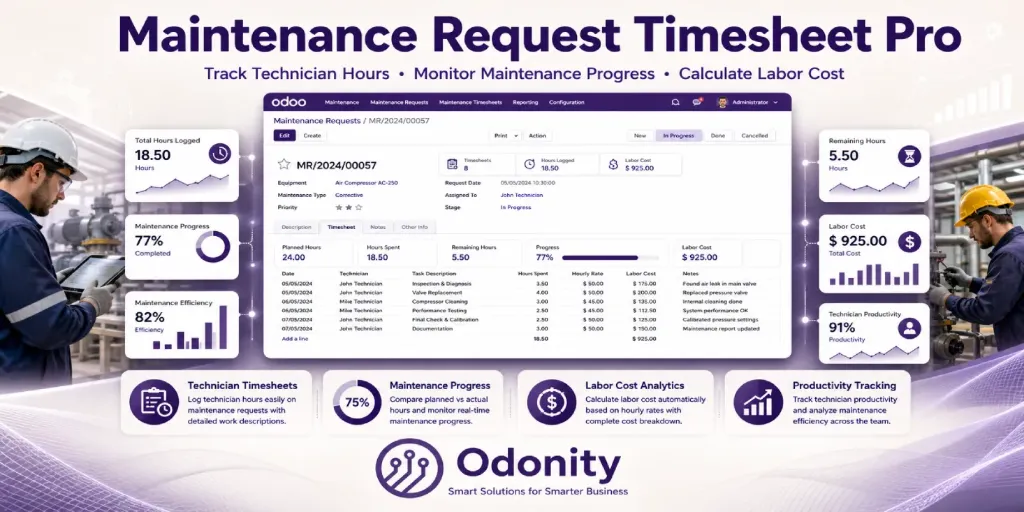
The complete maintenance labor tracking solution for Odoo Maintenance. Log technician hours directly on Maintenance Requests, compare planned vs actual work, monitor labor cost, analyze productivity, and manage all maintenance timesheets from one centralized system.

⏱ Technician Time Tracking 📊 Planned vs Spent Hours 💰 Labor Cost Analytics 📋 Global Timesheet View 📈 Progress Tracking 👨‍🔧 Employee Productivity

Key Features

Dedicated Timesheet Tab

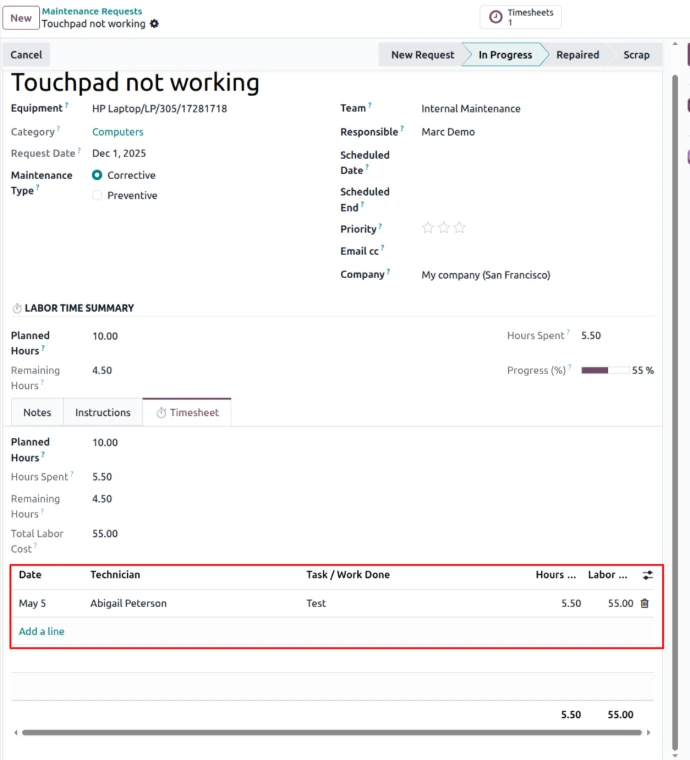
Every Maintenance Request includes a dedicated ⏱ Timesheet tab where technicians can log unlimited work entries directly inside the request form.

Technician-Based Time Logging

Capture employee, work date, description, and spent hours per maintenance activity for complete technician-level visibility.

Planned vs Actual Hours

Define planned maintenance hours and automatically compare against actual technician hours with live remaining hours calculation.

Maintenance Progress Tracking

Visual progress indicators automatically calculate maintenance completion percentage based on logged labor hours.

Automatic Labor Cost Calculation

Employee hourly cost is pulled from HR profiles and total labor expense is computed automatically per request and timesheet line.

Smart Request Buttons

Smart buttons provide instant access to all related maintenance timesheet entries directly from the request form.

Global Maintenance Timesheets

Dedicated Maintenance Timesheets menu gives managers a centralized overview of all technician work logs across the company.

Advanced Filters & Group By

Filter by technician, request, date, or stage. Group by maintenance request, employee, maintenance stage, or work date.

Inline Editable Entries

Log and edit technician timesheet entries inline without opening popup forms for faster maintenance workflow management.


Everything in One Module

  • Dedicated technician work log per request
  • Planned hours, spent hours & remaining hours tracking
  • Progress bar based on maintenance completion
  • Labor cost analytics per technician & request
  • Smart button for maintenance timesheet entries
  • Internal notes field per work log
  • Inline editable maintenance work entries
  • Dedicated global Maintenance Timesheets menu
  • Filter by technician, request, stage, and date
  • Group by maintenance request or employee
  • Company-wide maintenance labor overview
  • Multi-company compatible
  • Compatible with Odoo Enterprise & Community
  • Clean modular design with minimal workflow disruption

Perfect For

Manufacturing Plants

Track technician maintenance hours on industrial equipment and machines.

Facilities Teams

Manage maintenance labor and technician productivity for buildings and infrastructure.

Maintenance Managers

Monitor planned vs actual maintenance effort and labor cost from one dashboard.

Operations Analysts

Analyze maintenance workload, technician efficiency, and service productivity.

Module Screenshots

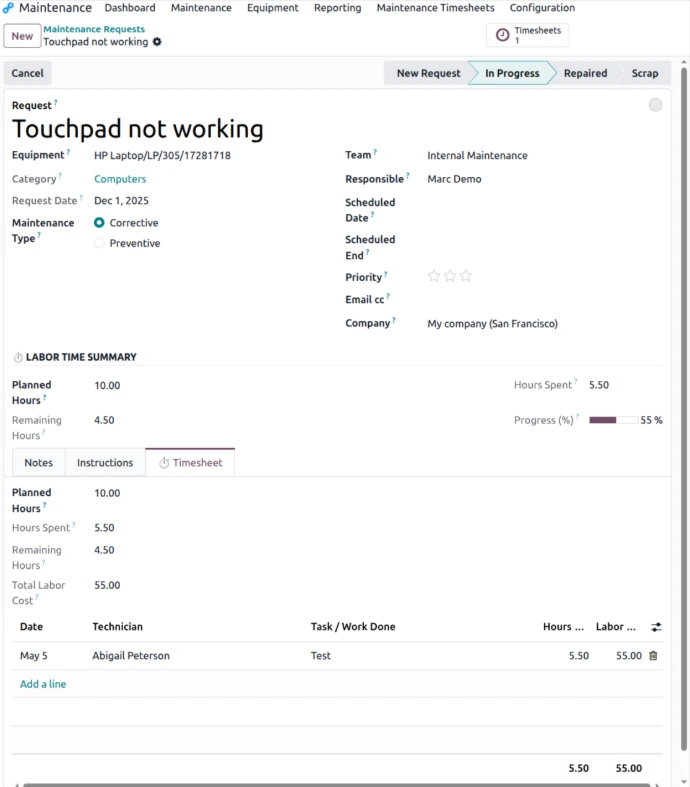
⏱ Maintenance Request Timesheet Tab — Log Technician Hours
📋 Global Maintenance Timesheets Menu
💰 Technician Labor Cost Calculation


Installation & Usage

1 Install like a standard Odoo application from the Apps menu.
2 Open any Maintenance Request from the Maintenance module.
3 Set Planned Hours for the maintenance activity.
4 Navigate to the ⏱ Timesheet tab and add technician work entries inline.
5 Monitor maintenance progress, remaining hours, and labor cost automatically.
6 Use the Maintenance Timesheets menu for global reporting and analytics.

Support & Customization

Need assistance, customization, or enterprise support?

App by ODONITY — Smart Solutions for Smarter Business

Support & Service Policy

To ensure fair usage, consistent quality, and reliable service for all customers, Odonity provides structured support under the following terms:

✔ Support Coverage (65 Days)
  • Free support is provided for 65 days from the date of purchase.
  • Support includes installation guidance, setup assistance, and usage-related queries.
  • Bug fixing is included only if the module is not functioning as described in official features.
✔ Definition of Bug
  • A bug refers to a feature not working as documented or demonstrated.
  • Any request to modify behavior, logic, or add new functionality is considered customization.
✘ Not Included in Free Support
  • Custom development, feature enhancements, or business-specific changes.
  • Third-party module conflicts or integration issues.
  • Server configuration, hosting, deployment, or infrastructure-related problems.
  • Debugging or fixing issues outside the purchased module.
✔ Scope Limitation
  • Support is strictly limited to the purchased module only.
  • It does not include full system debugging, database correction, or unrelated module issues.
✔ Version & Compatibility
  • The module is guaranteed to work only with the specified Odoo version mentioned on the product page.
  • Compatibility with customized or heavily modified systems is not guaranteed.
✔ Demo & Representation Disclaimer
  • All screenshots, videos, and demos are for reference purposes only.
  • Actual behavior may vary depending on system configuration and installed modules.
✔ Support Process
  • Support is provided via email ([email protected]) or through the customer portal (order communication linked to your purchase).
  • For faster resolution, please include your order reference and detailed issue description in your communication.
  • Typical response time is within 24–48 business hours.
  • Customers must provide necessary access (Odoo/backend/server if required).
  • Delays in providing access or required information may delay resolution.
✔ Paid Support & Customization
  • All customization, enhancements, or new feature requests are treated as paid services.
  • Support after 65 days is available under paid plans.
✔ Customer Responsibilities
  • Maintain proper backups before installing or updating the module.
  • Test changes in a staging environment before applying to production.
  • Ensure the system meets basic Odoo requirements and compatibility.
✔ License Scope
  • Support is valid only for the purchased license and single Odoo instance.
  • Usage across multiple databases or environments may require additional licensing.
⚠ Important Notes
  • Odonity is not responsible for data loss, misconfiguration, or system failures.
  • We are not liable for conflicts caused by third-party modules or custom code.
  • Unauthorized modification of the module may void support eligibility.
  • Support priority is handled in order; urgent or immediate support is not guaranteed.

Our goal is to provide reliable, transparent, and professional support while maintaining fairness and sustainability for all customers.


Odoo Proprietary License v1.1 - Strict Commercial Use

© 2026-Present Odonity. All Rights Reserved.

Module Name: Maintenance Request Timesheet Pro | Track Time on Maintenance | Maintenance Labor Hours (By Odonity)
License Owner: Odonity (https://www.odonity.com)
Support Email: [email protected]

This software is protected by copyright laws and international treaties. It is licensed, not sold. You are granted a non-transferable, non-sublicensable, and non-exclusive license to use this software ONLY under the terms below:

--------------------------------------------
STRICT TERMS OF USE
--------------------------------------------

PERMITTED:

- Use the module in one Odoo production instance only (with staging/test allowed only for that instance).
- Use for internal company operations.
- Request support, upgrades, or customization services from Odonity.

PROHIBITED WITHOUT WRITTEN PERMISSION FROM ODONITY:

- Modifying, altering, or extending the source code in any way.
- Reselling, sublicensing, or redistributing any part of the module.
- Sharing the code with third parties, including freelancers or other vendors.
- Uploading this module to public or private repositories, websites, or forums.
- Creating derivative works or using snippets in other modules.
- Using the module as a base to develop similar competing products.

WARNING:

This software contains branding, code-level markers, and security tracking for anti-piracy purposes. Tampering with these or violating this license may result in:

- Permanent termination of your usage rights
- Legal action under local and international intellectual property laws
- Immediate take-down notices for marketplaces and hosting providers

--------------------------------------------
LICENSE VERIFICATION & SUPPORT
--------------------------------------------

License Keys / Validation (optional): Odonity reserves the right to implement license key checks in future versions.
Support is only available to verified license holders.
Invoice or proof of purchase must be retained for all license claims.

For official support, licensing clarifications, or enterprise usage, please contact:
[email protected] | https://www.odonity.com

--------------------------------------------

BY INSTALLING THIS MODULE, YOU AGREE TO BE BOUND BY ALL TERMS ABOVE.

Unauthorized use, reproduction, or redistribution is strictly prohibited.