Profit Zone – Budget Zones & Expense Intelligence Pro | Smart Budget Allocation & Tracking
$ 175.00
$ 175.00
-
Version
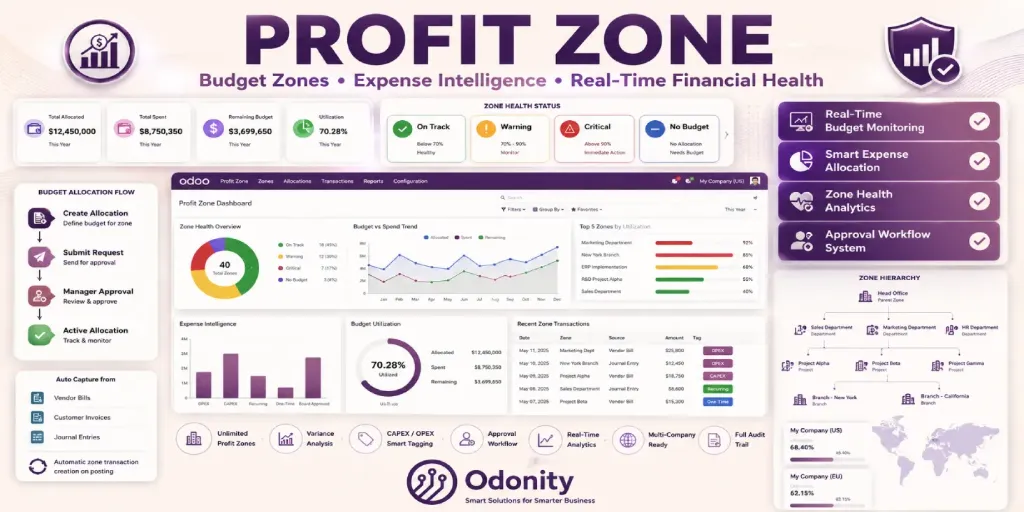
Define smart financial zones. Allocate budgets with approval workflows. Get real-time zone health — On Track, Warning, or Critical — before your budget runs out.
Every Profit Zone gets an automatic health score based on budget utilization
Below 70% utilized — budget is healthy
70–90% utilized — approaching limit
Over 90% utilized — immediate attention needed
No approved allocation — zone needs funding
Everything your finance team needs — nothing you don't
Create zones for Departments, Projects, Branches, Product Lines, Regions, or any custom dimension your business uses.
Submit budget allocation requests for manager review. Approve or reject with one click. Full chatter audit trail on every decision.
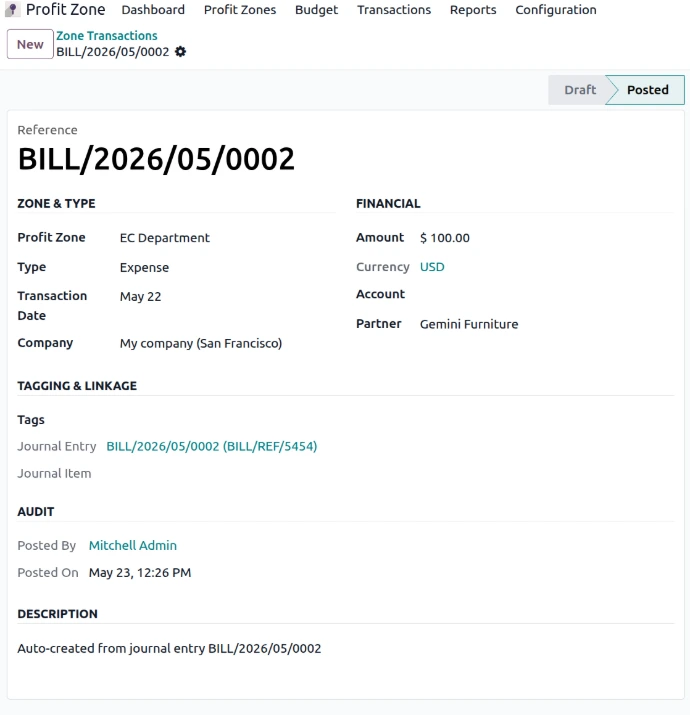
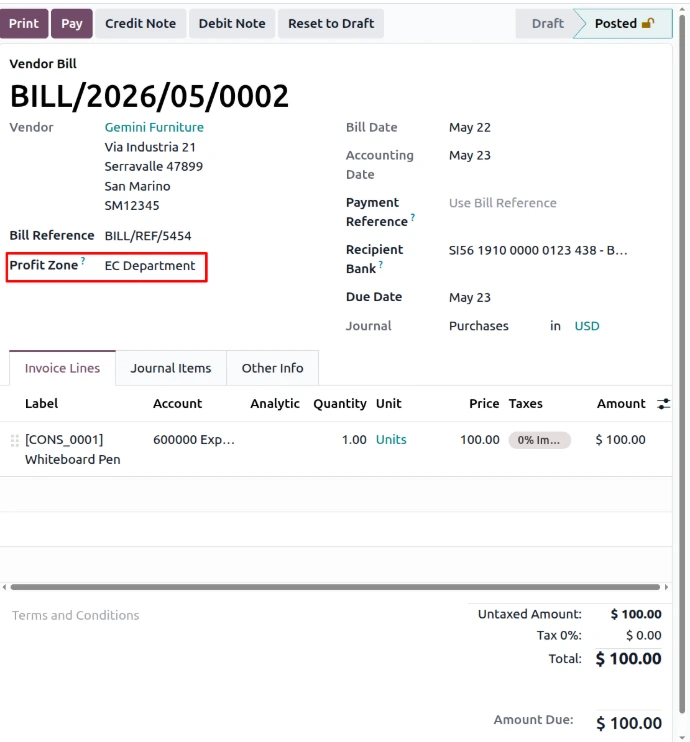
Tag any journal entry or invoice with a Profit Zone and a zone transaction is created automatically on posting — zero manual effort.
See Allocated vs. Spent vs. Remaining per zone, per period. Utilization percentage calculated live. No manual spreadsheets.
Group sub-zones under a parent zone for roll-up visibility. Perfect for multi-branch or multi-project financial structures.
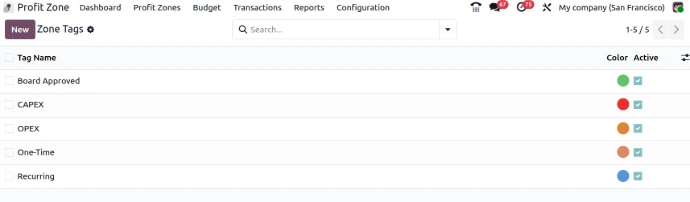
Classify every transaction as CAPEX, OPEX, Recurring, One-Time, or Board Approved. Filter and analyze by tag in seconds.
Kanban with health colors, Pivot for cross-analysis, Graph for trend visualization, and List for detailed drilldown — all in one place.
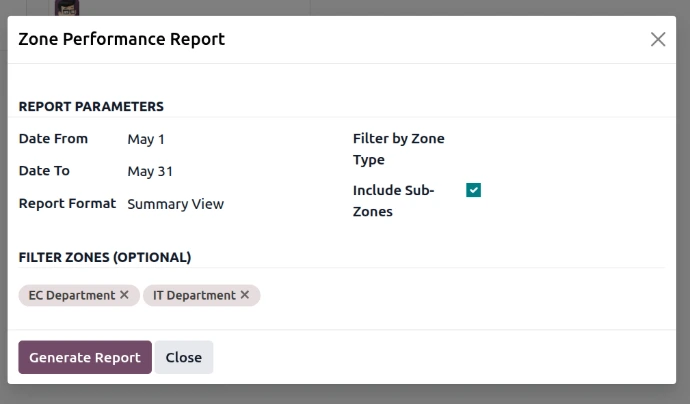
Generate performance summaries for any date range, zone type, or specific zones. Summary or detailed format — your choice.
Zones and allocations are scoped per company. Perfect for multi-entity Odoo setups with centralized reporting needs.
Profit Zone is built for teams that need financial visibility beyond standard accounting
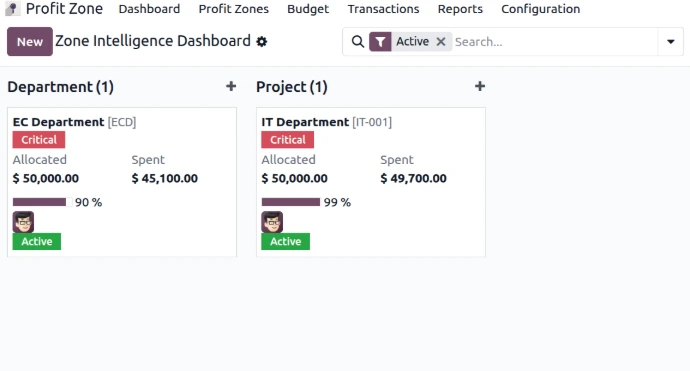
Zone Kanban Dashboard
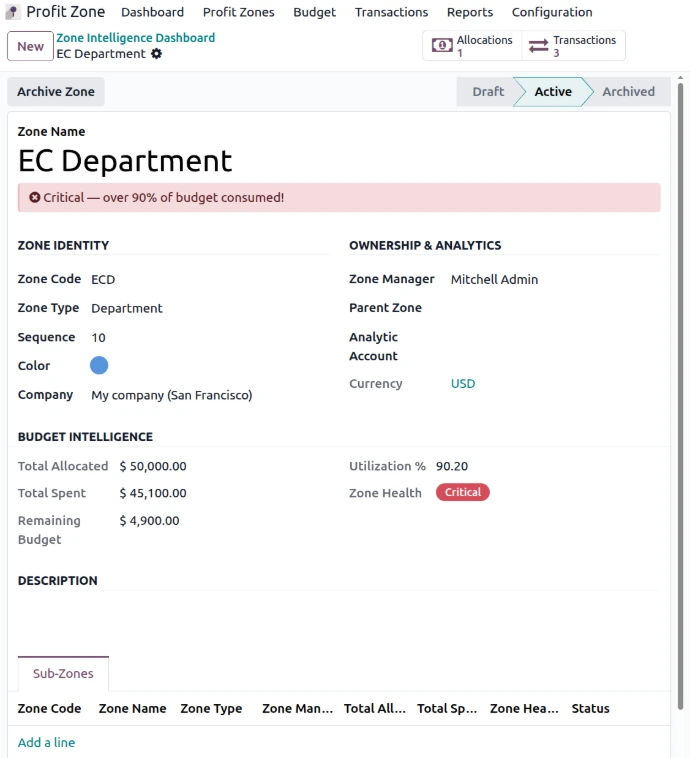
Zone Form View
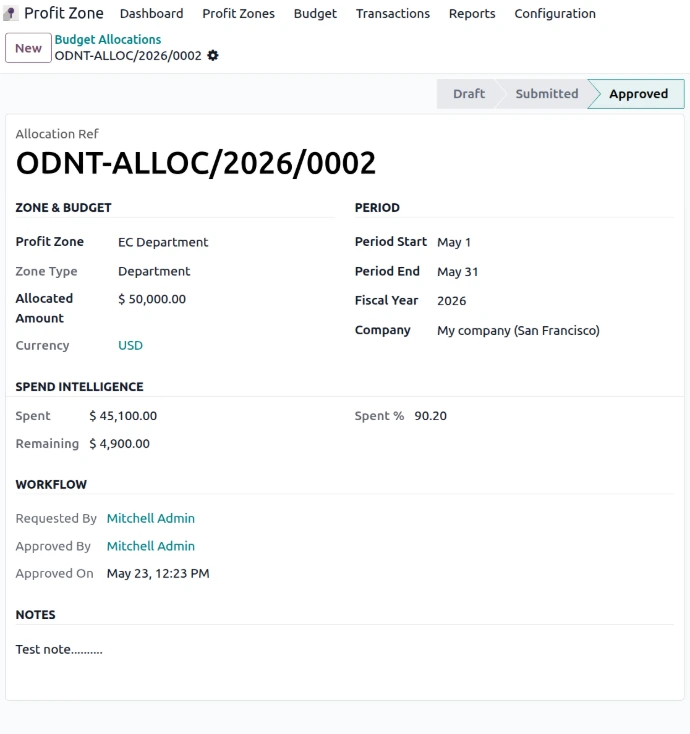
Budget Allocation Approval
Submit → Approve → Track workflow
Zone Transaction (Create Manually or From Bills)
Transactions Linked in Vendor Bill
Zone Tags
Zone Performance Report
Up and running in under 5 minutes
Place odnt_profit_zone in your custom addons directory
Restart your Odoo server instance
Settings → Activate Developer Mode
Apps → Update Apps List
Search Profit Zone → Install
Need assistance, custom features, or version upgrades?
To ensure fair usage, consistent quality, and reliable service for all customers, Odonity provides structured support under the following terms:
Our goal is to provide reliable, transparent, and professional support while maintaining fairness and sustainability for all customers.
Odoo Proprietary License v1.1 - Strict Commercial Use

© 2026-Present Odonity. All Rights Reserved.

Module Name: Profit Zone – Budget Zones & Expense Intelligence Pro | Smart Budget Allocation & Tracking (By Odonity)
License Owner: Odonity (https://www.odonity.com)
Support Email: [email protected]

This software is protected by copyright laws and international treaties. It is licensed, not sold. You are granted a non-transferable, non-sublicensable, and non-exclusive license to use this software ONLY under the terms below:

--------------------------------------------
STRICT TERMS OF USE
--------------------------------------------

PERMITTED:

- Use the module in one Odoo production instance only (with staging/test allowed only for that instance).
- Use for internal company operations.
- Request support, upgrades, or customization services from Odonity.

PROHIBITED WITHOUT WRITTEN PERMISSION FROM ODONITY:

- Modifying, altering, or extending the source code in any way.
- Reselling, sublicensing, or redistributing any part of the module.
- Sharing the code with third parties, including freelancers or other vendors.
- Uploading this module to public or private repositories, websites, or forums.
- Creating derivative works or using snippets in other modules.
- Using the module as a base to develop similar competing products.

WARNING:

This software contains branding, code-level markers, and security tracking for anti-piracy purposes. Tampering with these or violating this license may result in:

- Permanent termination of your usage rights
- Legal action under local and international intellectual property laws
- Immediate take-down notices for marketplaces and hosting providers

--------------------------------------------
LICENSE VERIFICATION & SUPPORT
--------------------------------------------

License Keys / Validation (optional): Odonity reserves the right to implement license key checks in future versions.
Support is only available to verified license holders.
Invoice or proof of purchase must be retained for all license claims.

For official support, licensing clarifications, or enterprise usage, please contact:
[email protected] | https://www.odonity.com

--------------------------------------------

BY INSTALLING THIS MODULE, YOU AGREE TO BE BOUND BY ALL TERMS ABOVE.

Unauthorized use, reproduction, or redistribution is strictly prohibited.
| Version | 19, 18, 17, 16 |