Sale Order Line Margin Pro | Color-Coded Margin Alerts & Minimum Margin Approval Gate
$ 59.00
$ 59.00
-
Version
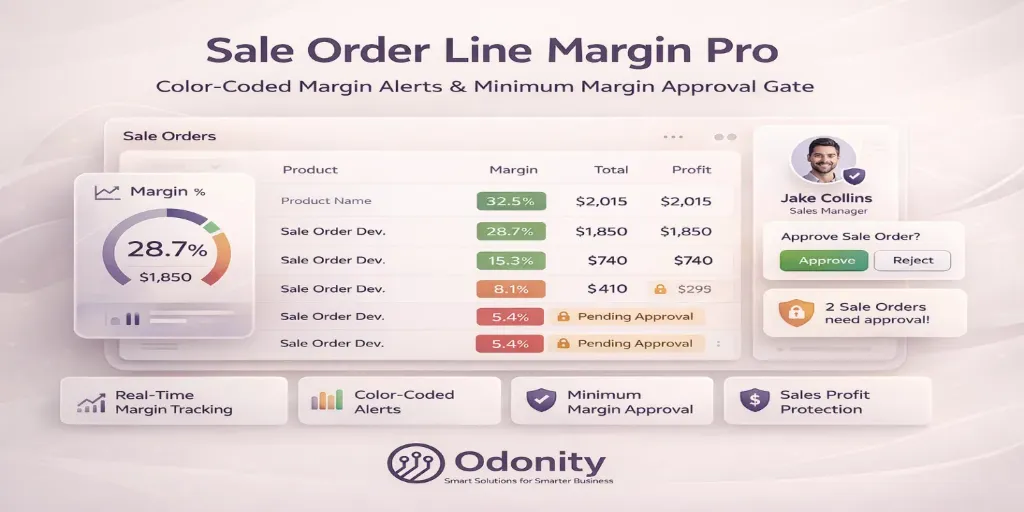
Odoo users have zero built-in margin tracking on sale orders. Even Enterprise users lack color-coded visibility and an enforceable minimum margin gate. Sale Order Line Margin Pro by Odonity closes both gaps — giving your sales team instant, visual margin awareness and your managers a real approval control point.
Track real-time margin on every sale order line with visual color alerts and enforce minimum margin rules with an approval gate.
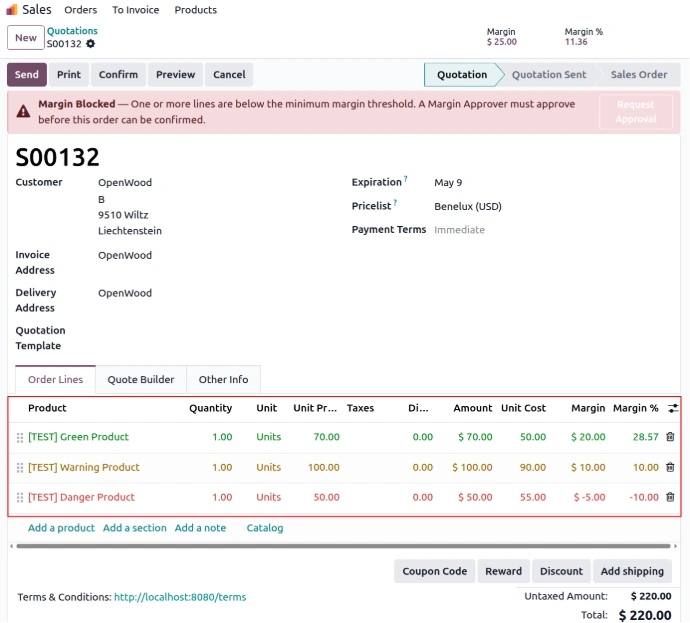
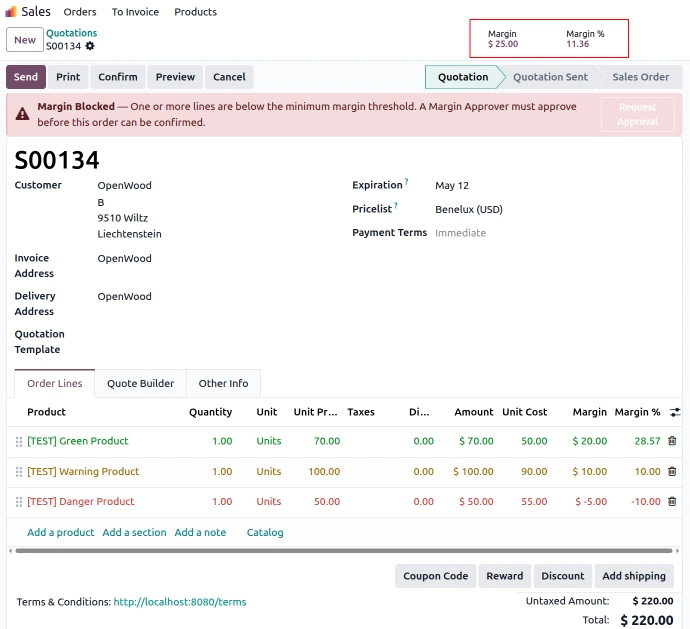
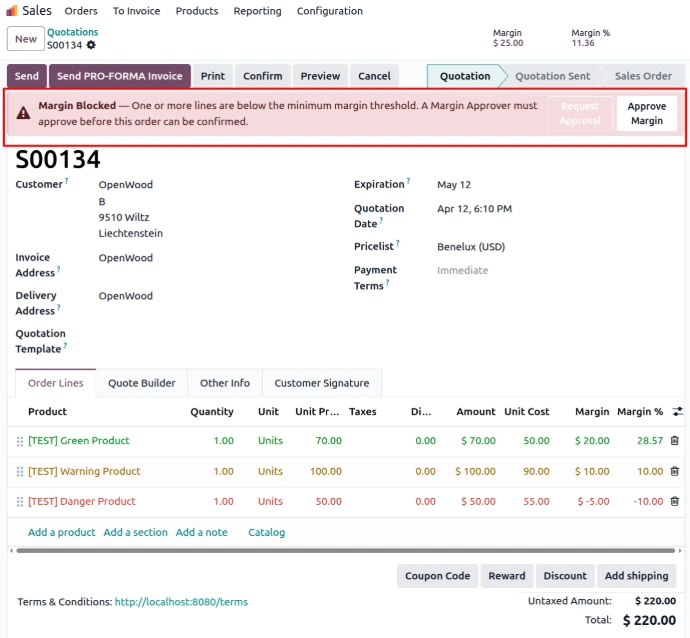
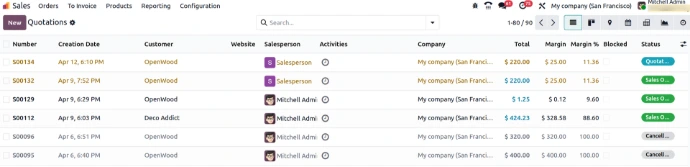
Margin and margin % are computed in real-time on every sale order line based on product cost and discounted selling price.
Instantly identify profitability with visual indicators — Green for healthy, Orange for warning, and Red for below minimum margin.
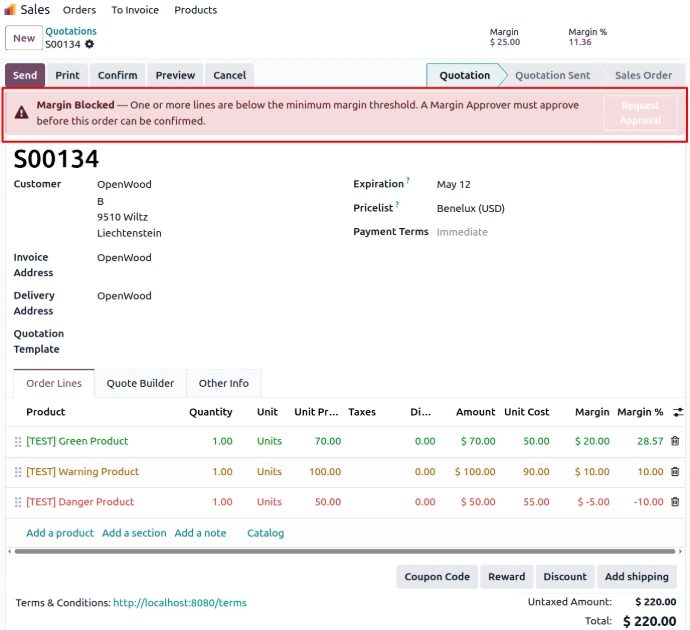
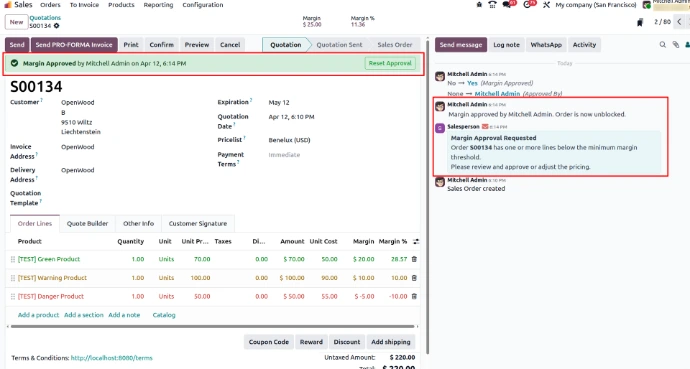
Orders containing low-margin lines are blocked automatically and require approval from a designated Margin Approver.
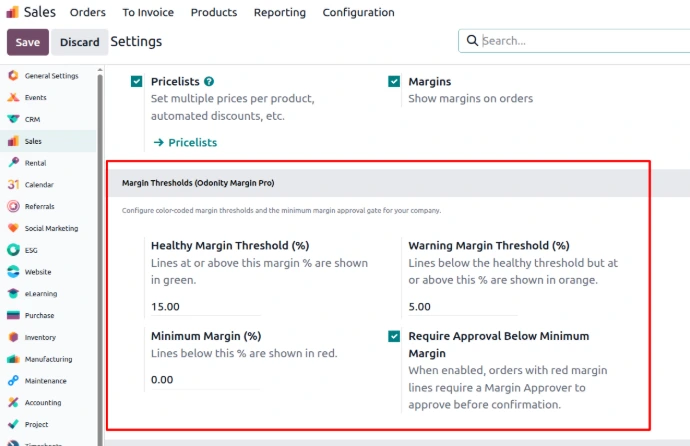
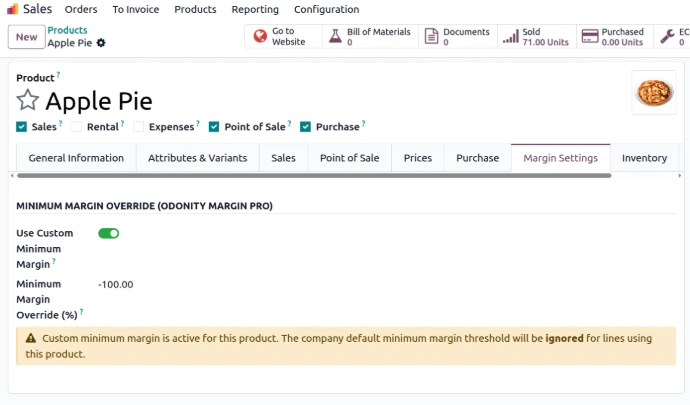
Define your own margin rules per company directly from Sales configuration settings to match your business strategy.
All thresholds are configurable per company. Defaults shown below.
| Margin % | Status | Action |
|---|---|---|
| ≥ 15% (healthy threshold) | 🟢 Green — Healthy | No action needed |
| ≥ 5% (warning threshold) | 🟡 Orange — Warning | Review pricing |
| < 0% (minimum margin) | 🔴 Red — Blocked | Requires manager approval |
Need assistance or customization?
To ensure fair usage, consistent quality, and reliable service for all customers, Odonity provides structured support under the following terms:
Our goal is to provide reliable, transparent, and professional support while maintaining fairness and sustainability for all customers.
Odoo Proprietary License v1.1 - Strict Commercial Use

© 2026-Present Odonity. All Rights Reserved.

Module Name: Sale Order Line Margin Pro | Color-Coded Margin Alerts & Minimum Margin Approval Gate (By Odonity)
License Owner: Odonity (https://www.odonity.com)
Support Email: [email protected]

This software is protected by copyright laws and international treaties. It is licensed, not sold. You are granted a non-transferable, non-sublicensable, and non-exclusive license to use this software ONLY under the terms below:

--------------------------------------------
STRICT TERMS OF USE
--------------------------------------------

PERMITTED:

- Use the module in one Odoo production instance only (with staging/test allowed only for that instance).
- Use for internal company operations.
- Request support, upgrades, or customization services from Odonity.

PROHIBITED WITHOUT WRITTEN PERMISSION FROM ODONITY:

- Modifying, altering, or extending the source code in any way.
- Reselling, sublicensing, or redistributing any part of the module.
- Sharing the code with third parties, including freelancers or other vendors.
- Uploading this module to public or private repositories, websites, or forums.
- Creating derivative works or using snippets in other modules.
- Using the module as a base to develop similar competing products.

WARNING:

This software contains branding, code-level markers, and security tracking for anti-piracy purposes. Tampering with these or violating this license may result in:

- Permanent termination of your usage rights
- Legal action under local and international intellectual property laws
- Immediate take-down notices for marketplaces and hosting providers

--------------------------------------------
LICENSE VERIFICATION & SUPPORT
--------------------------------------------

License Keys / Validation (optional): Odonity reserves the right to implement license key checks in future versions.
Support is only available to verified license holders.
Invoice or proof of purchase must be retained for all license claims.

For official support, licensing clarifications, or enterprise usage, please contact:
[email protected] | https://www.odonity.com

--------------------------------------------

BY INSTALLING THIS MODULE, YOU AGREE TO BE BOUND BY ALL TERMS ABOVE.

Unauthorized use, reproduction, or redistribution is strictly prohibited.
| Version | 19, 18, 17, 16 |