Sales Order Contract Pro | Digital Signature | Customer Contract PDF
$ 175.00
$ 175.00
-
Version
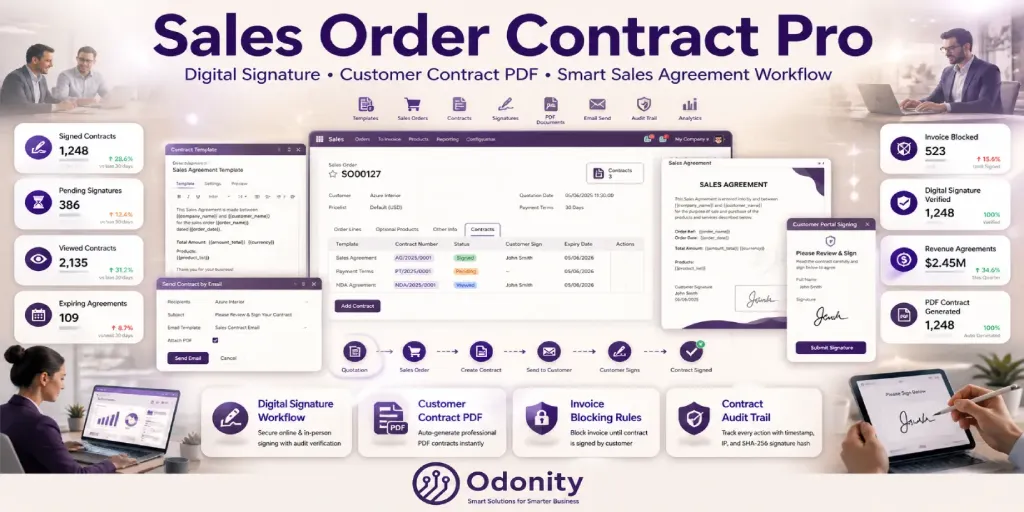
Create contract templates, assign them to sales orders, collect digital signatures online or in-person, block invoicing until signed, and auto-generate signed PDFs — all inside Odoo Sales.
Stop relying on paper contracts or external tools. Sales Order Contract Pro by Odonity brings a full-featured contract management system directly inside your Odoo Sales module. From template creation to customer signature collection and PDF archiving — everything is handled automatically, professionally, and securely.
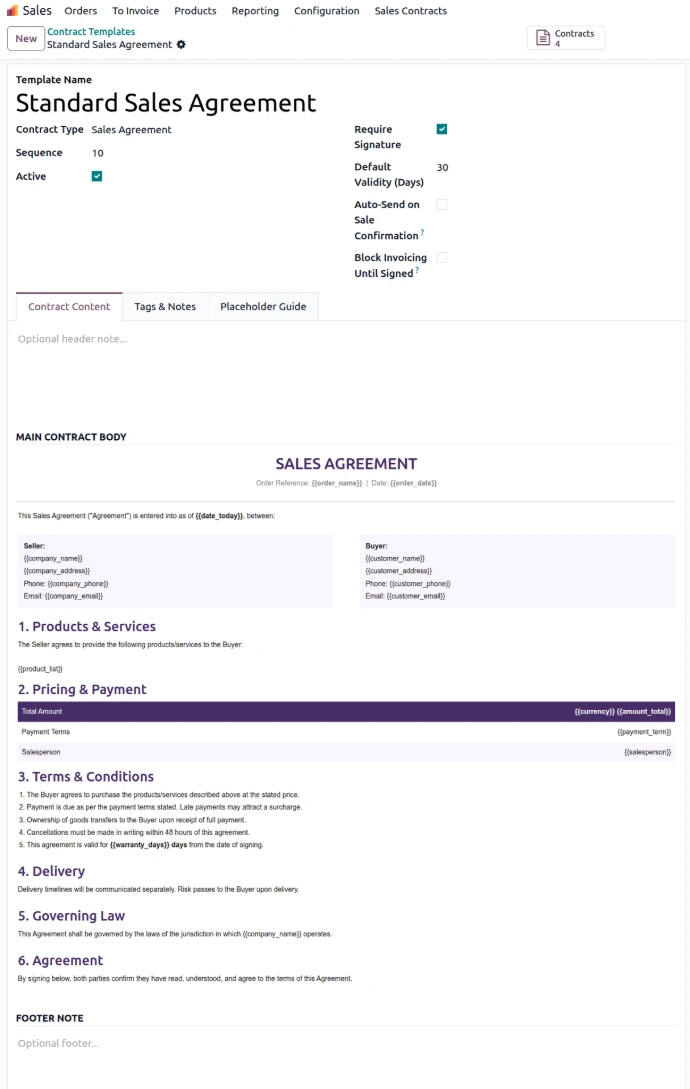
Build professional contracts using a rich HTML editor. Use dynamic placeholders to auto-fill customer, order, product, pricing, and company details on every contract.
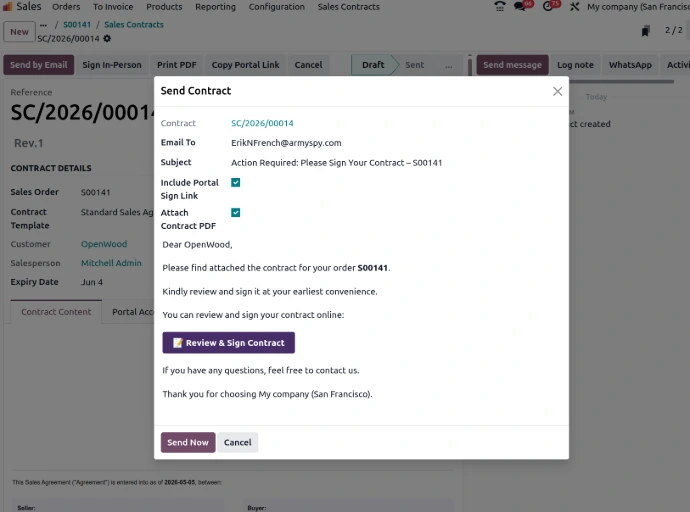
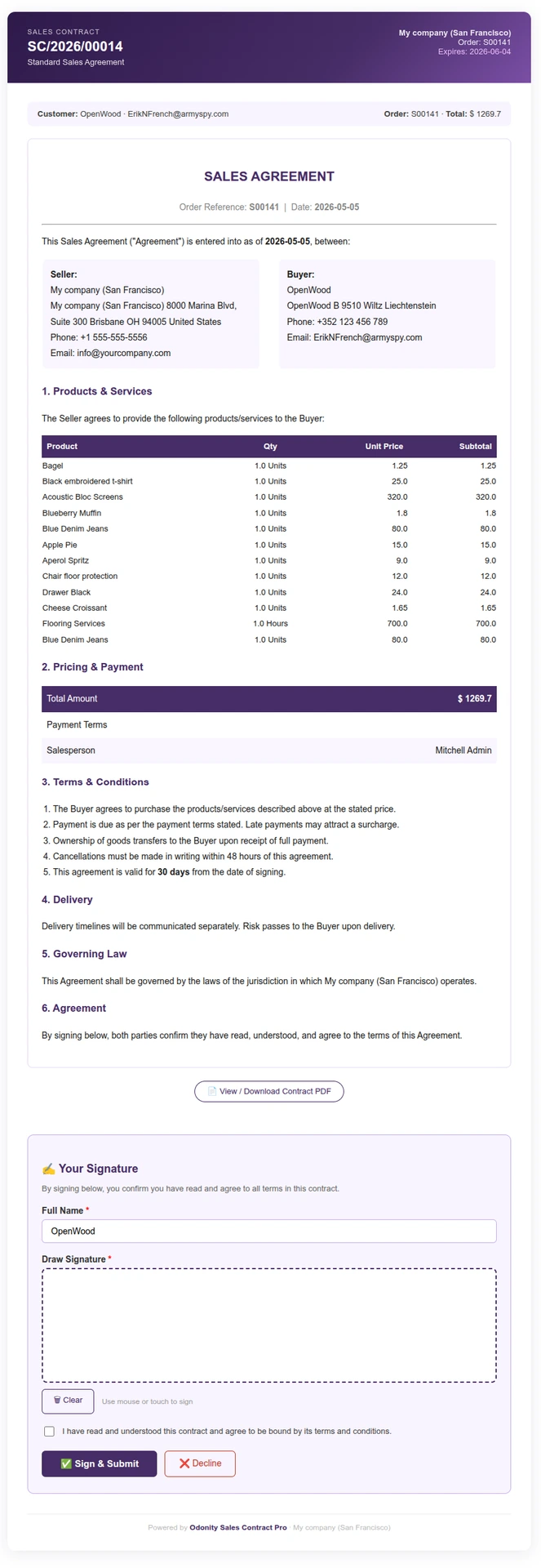
Send a secure portal link to customers. They open the contract in a browser, review it, and draw their signature using a canvas pad — no app required.
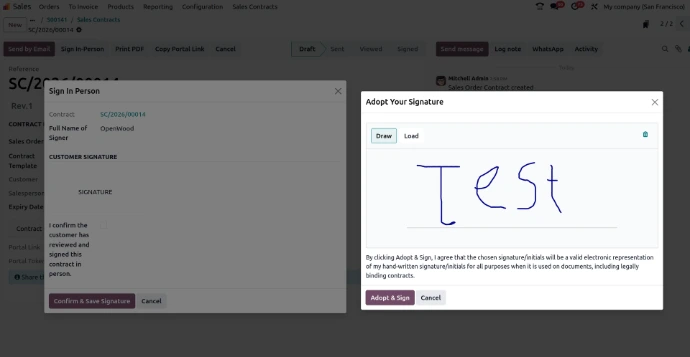
Capture the customer's signature directly on a tablet or touchscreen during sales confirmation. Perfect for in-store or face-to-face sales operations.
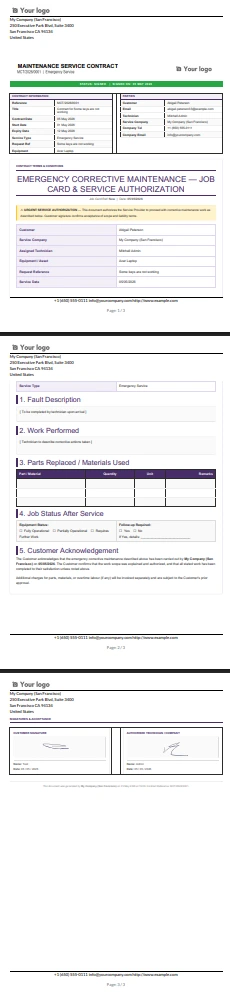
Immediately after signing, a branded PDF is generated and attached to the contract with embedded signature, signer name, date, and audit hash.
Send a personalized email with the portal sign link and PDF attachment directly from the contract. Fully customizable email body before sending.
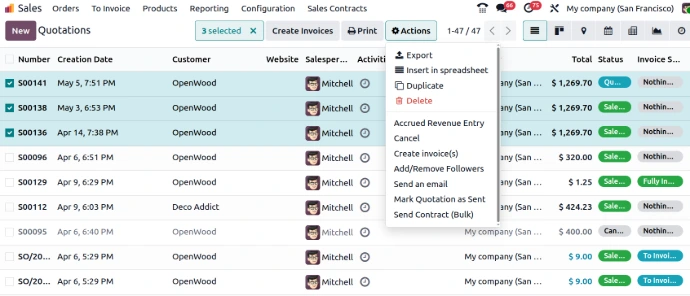
Select multiple sales orders from the list view and send contracts to all customers in a single action. Perfect for high-volume sales teams.
Every signature is recorded with the signer's name, timestamp, IP address, and a SHA-256 hash of the signature image for integrity verification.
Create a new revision of any signed or expired contract. Tracks parent version, increments revision number, and keeps full history in the chatter.
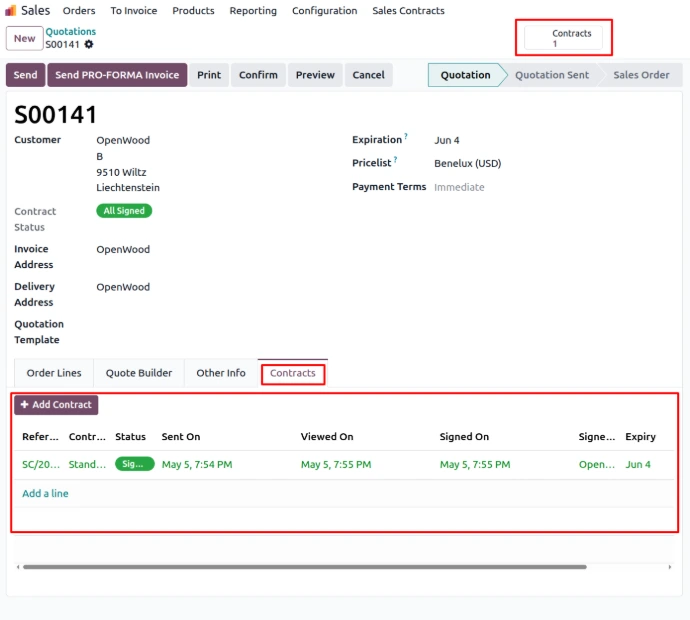
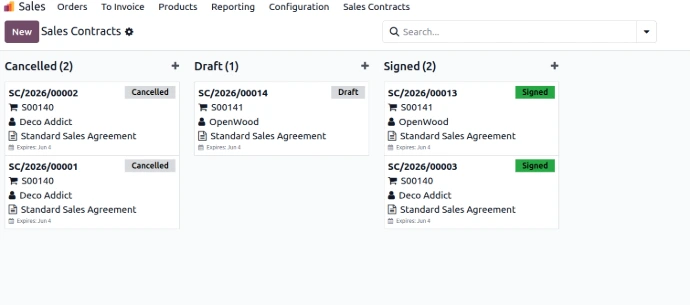
Set validity dates on contracts. A scheduled job auto-expires unsigned contracts. Track all states: Draft, Sent, Viewed, Signed, Expired, Declined, Cancelled.
Mark templates to auto-create and send contracts when a sales order is confirmed. Zero manual effort for your most-used contract types.
Prevent invoice creation until the customer signs the contract. Enforce compliance and payment terms before invoicing any sales order.
Includes Sales Agreement, NDA, Payment Terms Agreement, and Service Agreement — fully editable and ready to use immediately after installation.
Send NDAs and agreements before sharing pricing, demos, or commercial proposals.
Standardize customer agreements across all departments and sales teams.
Collect service agreements and payment term approvals before starting projects.
Maintain a complete signed contract archive with full audit trail for every sales order.
Bulk send contracts to hundreds of customers in one click — save hours every week.
Require signed agreements before releasing products for fulfillment and invoicing.
See how the module looks inside your Odoo Sales
No extra dependencies required. Works with the standard Odoo Sales module out of the box.
Need assistance, custom contract templates, or additional workflow features?
To ensure fair usage, consistent quality, and reliable service for all customers, Odonity provides structured support under the following terms:
Our goal is to provide reliable, transparent, and professional support while maintaining fairness and sustainability for all customers.
Odoo Proprietary License v1.1 - Strict Commercial Use

© 2026-Present Odonity. All Rights Reserved.

Module Name: Sales Order Contract Pro | Digital Signature | Customer Contract PDF (By Odonity)
License Owner: Odonity (https://www.odonity.com)
Support Email: [email protected]

This software is protected by copyright laws and international treaties. It is licensed, not sold. You are granted a non-transferable, non-sublicensable, and non-exclusive license to use this software ONLY under the terms below:

--------------------------------------------
STRICT TERMS OF USE
--------------------------------------------

PERMITTED:

- Use the module in one Odoo production instance only (with staging/test allowed only for that instance).
- Use for internal company operations.
- Request support, upgrades, or customization services from Odonity.

PROHIBITED WITHOUT WRITTEN PERMISSION FROM ODONITY:

- Modifying, altering, or extending the source code in any way.
- Reselling, sublicensing, or redistributing any part of the module.
- Sharing the code with third parties, including freelancers or other vendors.
- Uploading this module to public or private repositories, websites, or forums.
- Creating derivative works or using snippets in other modules.
- Using the module as a base to develop similar competing products.

WARNING:

This software contains branding, code-level markers, and security tracking for anti-piracy purposes. Tampering with these or violating this license may result in:

- Permanent termination of your usage rights
- Legal action under local and international intellectual property laws
- Immediate take-down notices for marketplaces and hosting providers

--------------------------------------------
LICENSE VERIFICATION & SUPPORT
--------------------------------------------

License Keys / Validation (optional): Odonity reserves the right to implement license key checks in future versions.
Support is only available to verified license holders.
Invoice or proof of purchase must be retained for all license claims.

For official support, licensing clarifications, or enterprise usage, please contact:
[email protected] | https://www.odonity.com

--------------------------------------------

BY INSTALLING THIS MODULE, YOU AGREE TO BE BOUND BY ALL TERMS ABOVE.

Unauthorized use, reproduction, or redistribution is strictly prohibited.
| Version | 19, 18, 17, 16 |